beep@alphabyte.it 02920 022100
Alphabyte IT, your trusted technology partner

Cyber Security for Cardiff Businesses

The everyday protections that stop most attacks, built into our managed IT for businesses in Cardiff and across South Wales, with Cyber Essentials when a customer, tender or insurer asks for it.

Cyber security in Cardiff

What small-business security really involves

For a small business, good cyber security comes down to a short list of things done properly every day: multi-factor authentication on every account, updates installed quickly, backups that can actually be restored, email filtered for phishing, protected devices and staff who know what a scam looks like. We build all of it into our managed IT support for businesses in Cardiff and across South Wales, and we keep every system we manage to the Cyber Essentials standard, certified or not.

We’re an IT management company rather than a seller of security products. Security is part of looking after your IT properly, so it isn’t another subscription to buy or another supplier to manage.

The risk is real for small firms. The government’s Cyber Security Breaches Survey 2025/2026 found that 43% of UK businesses had a cyber breach or attack in the previous 12 months, and that phishing was by far the most common kind.
MFA on every account

Enforced for you, so a stolen password on its own isn’t enough to get in.

Updates managed

Security updates installed and checked on every device we look after.

Daily backups

Backed up every day and monitored by our team, with a disaster recovery plan.

Cyber Essentials standard

Every system we manage kept to the standard, and the certificate when you need it.

The essentials

Eight things that stop most attacks

Most attacks on small businesses aren’t sophisticated. They rely on a reused password, a missed update or someone being rushed into a payment. These are the controls that close those doors, and what each one means in practice.

Multi-factor authentication

A second check, usually an app on your phone, on email, Microsoft 365 and every cloud service that offers it. It stops most attacks that start with a stolen password. Passkeys go further, because a fake login page can’t use them.

Patching and updates

Windows, Macs, apps, browsers, firewalls and routers kept up to date, and anything that no longer gets security updates replaced. Cyber Essentials expects critical and high-risk updates within 14 days of release.

Backups you can restore

Daily copies kept apart from the originals and checked by people, so ransomware or a deleted folder is an inconvenience rather than a disaster. More on backup.

Email protection

Spam and phishing filtered before it reaches inboxes, plus SPF, DKIM and DMARC records that stop criminals sending email as your domain. How email authentication works.

Device security

Anti-malware on every laptop and desktop, firewalls switched on, and admin rights kept off everyday accounts, including on laptops used at home.

Staff awareness

Plain guidance on what phishing and payment scams look like, and a culture where people tell us straight away if they’ve clicked something. Nobody gets blamed for asking.

Microsoft 365 security

The settings that matter: admin accounts locked down, external forwarding blocked, sharing controlled and sign-ins watched. Securing Microsoft 365.

Cyber Essentials

The government-backed baseline that pulls these controls together, and a certificate that proves it to customers, tenders and insurers. Our Cyber Essentials service.

Included in managed IT

From £40 per user, per month + VAT

  • Multi-factor authentication and security best practice enforced for you
  • Anti-virus and anti-spam on every device
  • Security updates managed across your devices
  • Proactive monitoring, so problems are found and fixed before you notice them
  • Daily backups and a disaster recovery plan, monitored by our team
  • Systems kept to the Cyber Essentials standard, certified or not
  • Unlimited support by phone, remotely and onsite when something looks wrong
  • Urgent problems picked up straight away, backed by our SLA

What’s in, what’s extra

Security that’s part of the service

When we manage your IT, the everyday security work is part of the monthly fee. You won’t get an extra bill because we switched on multi-factor authentication for a new starter or chased a laptop that missed an update.

The price depends on how many people you have, whether you run servers and how your systems are set up, so we look first and give you a fixed quote. See our pricing.

Charged separately

  • Cyber Essentials certification from £295 + VAT, plus the IASME assessment fee
  • Cyber Essentials Plus preparation and audit support, quoted for your business
  • Microsoft 365 licences, including Business Premium if you want its extra security tools (we can supply them)
  • New hardware and software, such as replacing devices that no longer get security updates
  • Projects such as migrations and office moves, which we quote separately
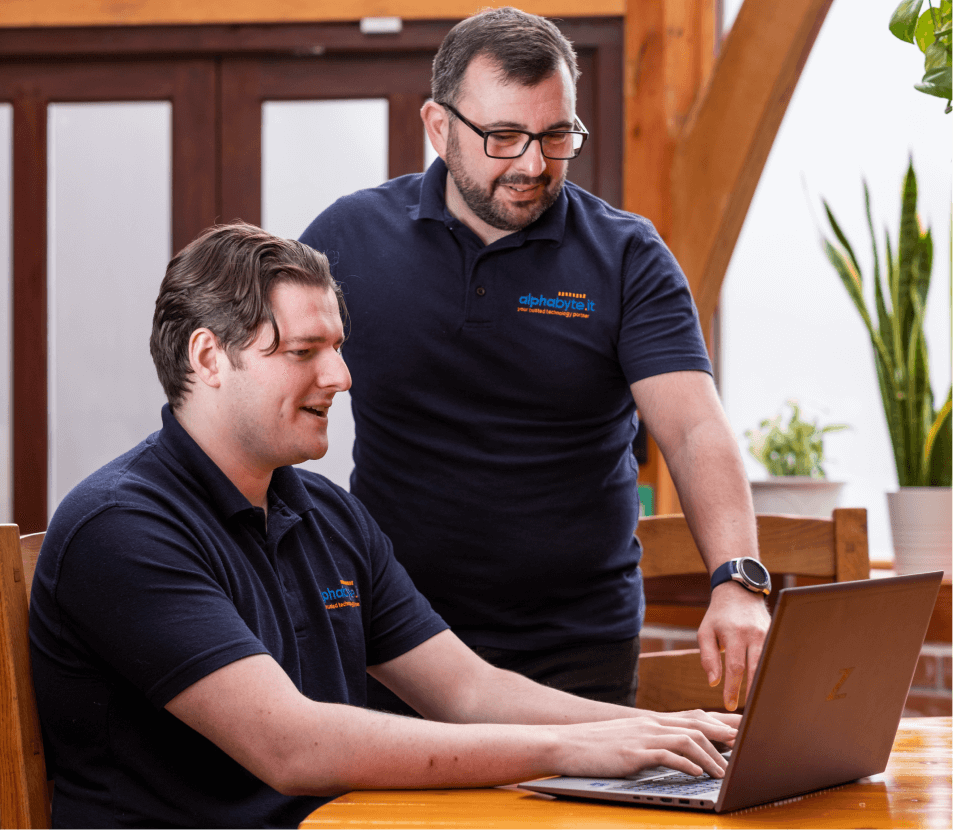
Two Alphabyte IT team members reviewing a laptop together

Free security snapshot

See what an attacker can see

Not sure where you stand? Start with a free security snapshot from AlphaSec, our security brand (same company, same team). It’s a one-page report built only from public records, so we don’t need access to your systems and there’s nothing to install.

  • Email spoofing protection: whether your SPF, DKIM and DMARC records stop criminals sending email as you
  • Website certificate: whether your site’s security certificate is in order
  • Website software: signs that the software behind your site is out of date
  • Domain renewal: when your domain is due, so it can’t lapse by accident

The snapshot can’t see inside your business. Multi-factor authentication, updates, backups and admin rights need a proper look, which we do as part of a free assessment if you’re thinking of moving your IT to us.

Cyber Essentials

Certified, and Plus when you need it

Cyber Essentials is the UK government-backed scheme that checks five sets of controls: firewalls, secure configuration, user access control, malware protection and security updates. Many public sector contracts require it, and more insurers and larger customers now ask for it.

Our Cyber Essentials service starts from £295 + VAT, plus the IASME assessment fee. We check your systems, fix anything that would fail and help you complete the assessment, and every business we’ve prepared has passed. Our guide to what Cyber Essentials costs explains the fees.

If a contract asks for Cyber Essentials Plus, we help with that too. Plus adds a hands-on technical audit by the certification body, so we prepare your systems, fix what the auditor would find and support you through the audit. We hold Cyber Essentials ourselves, and we’re not a certification body: certificates are issued by IASME-licensed certification bodies.

Passkeys

The next step beyond passwords

In April 2026 the National Cyber Security Centre said passkeys should be people’s first choice of login. A passkey is tied to the genuine website it was created for, so a fake Microsoft login page can’t capture it, and there’s no code for a criminal to intercept.

Passkeys work with Microsoft 365 on every business plan, and Cyber Essentials now recognises them. A sensible order is admin accounts first, then the people who approve payments or handle client money, then everyone else. Read our guide to passkeys for business.

If the worst happens

Think you’ve been breached?

Act quickly, but don’t start deleting things. Whether it’s a ransomware message, a mailbox sending spam or a payment that has gone to the wrong account, these are the first steps.

  1. Call your IT support. If we look after you, call us on 02920 022100. We’ll contain it: disconnect affected devices, reset passwords, sign out active sessions and check mailboxes for rules a criminal may have added.
  2. If money has been sent, call your bank now. Use the number on its website or your card, never one from the email. The sooner the bank knows, the better the chance of stopping the payment.
  3. If the attack is still happening, call 0300 123 2040. It’s the line for businesses under a live cyber attack, run by Report Fraud and open 24 hours a day.
  4. Report it. In England, Wales and Northern Ireland, cyber crime and fraud are reported to Report Fraud, the police reporting service that replaced Action Fraud. For a significant incident, report it to the National Cyber Security Centre through gov.uk/report-cyber.
  5. Check whether personal data was involved. If a breach is likely to put people’s rights and freedoms at risk, you must tell the ICO as soon as possible and, where feasible, within 72 hours. If the risk is high, you must tell the people affected too.
  6. Tell your insurer, and check whether your policy says who you must call first.

Warning signs

How breaches usually show up

Most incidents aren’t dramatic at first. These are the signs that should make you pick up the phone rather than wait:

  • Sign-in prompts on your phone that you didn’t ask for
  • Contacts replying to emails you never sent
  • Emails going missing, or replies you expected never arriving
  • Password reset messages you didn’t request
  • Files that won’t open, or have strange new names
  • A client or supplier asking about “new” bank details

Reporting matters even when the damage looks small. It helps the police spot patterns, and a quick report to your bank or IT support is often the difference between a scare and a loss.

Law firms

Security for solicitors

Ross Owen worked in IT at large Cardiff law firms before founding Alphabyte IT in 2009, so we understand why firms are such a target. They hold client money and confidential files, and conveyancing creates predictable moments when large sums move.

The classic attack is email interception before a completion: a criminal gets into a mailbox, or spoofs one, and sends “updated” bank details at exactly the right moment. The defences are multi-factor authentication on every account, DMARC on the firm’s domain, regular checks for suspicious mailbox rules and a firm-wide rule that bank details are only ever confirmed by phone, on a number you already hold.

Solicitors should also check their reporting duties to the Solicitors Regulation Authority when client money or information is affected, on top of the ICO and the police. More on IT for law firms.

Accountants

Security for accountancy practices

Practices hold exactly what criminals want: bank details, tax records and logins to HMRC and to clients’ accounting systems. One compromised mailbox can expose many clients at once, and the run-up to the 31 January self assessment deadline is when people are busiest and least likely to stop and check.

We make sure a password alone never gets anyone into your practice software, Microsoft 365 or online services, that client files are backed up and restorable, and that staff only have the access their role needs. Cyber Essentials is often the simplest way to answer the security questions clients and insurers now ask. More on IT for accountants.

Questions

Cyber security: FAQs

How much does cyber security cost for a small business?

If we manage your IT, the everyday security on this page is included in our managed IT support, which starts from £40 per user per month + VAT. Cyber Essentials certification support starts from £295 + VAT plus the IASME assessment fee, and Microsoft 365 licences are billed separately. We give you a fixed quote before you commit.

Are small businesses really targeted?

Usually not personally, and that’s the point. Most attacks are automated phishing emails and password-guessing aimed at thousands of businesses at once, and the ones that get through are often the easiest to get into. Phishing was the most common type of attack in the government’s latest breaches survey.

Is Cyber Essentials enough on its own?

It’s a strong baseline against the most common attacks, but it doesn’t cover everything. Backups, email authentication (SPF, DKIM and DMARC) and staff awareness sit outside its five controls, and the certificate reflects your systems on the day you’re assessed. That’s why we keep the controls in place all year and add the rest on top.

What does the free security snapshot check?

It looks only at public records: whether your domain is protected against email spoofing (SPF, DKIM and DMARC), your website’s certificate and software, and when your domain is due for renewal. You get a one-page report, and we don’t need any access to your systems. Request it at alphasec.uk.

Can you help us get Cyber Essentials Plus?

Yes. We prepare your systems for the hands-on audit, fix anything the assessor would find and support you through the audit with the certification body. Plus is quoted for your business, because the work involved and the certification body’s fee depend on your size and set-up. Alphabyte IT holds Cyber Essentials, and certificates are always issued by an IASME-licensed certification body, never by us.

What should we do if someone clicks a phishing link?

Tell your IT support straight away, even if nothing seems to have happened. If a password was typed into the page, it needs changing at once, and the account’s sign-ins and mailbox rules should be checked for anything a criminal has set up. The sooner it’s reported, the less there is to undo, which is why we never blame anyone for calling.

Let’s get you transferred across

It’s a Piece of Cake to Transfer to Us

We handle everything so there is no need to worry about any of the transfer process. We have done it many times before!

It’s very simple

How To Get Started With Us

We’ve made transferring to us effortless with our Easy Transfer Service. Book your free consultation now to get started!

Book a Call